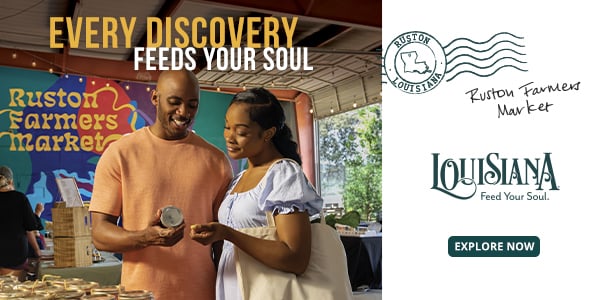
This week I’ve become rather obsessed with gumbo. Often considered Louisiana’s state dish, this thick stew features a blend of roux (oil and flour), the “Louisiana Holy Trinity” (onions, bell peppers and celery), and a protein like sausage, chicken or seafood. But it’s more than the food – as great tasting as it is – itself that fascinates me. It’s what it represents. Although it seems that no two chefs can agree on exactly what a gumbo recipe should entail, they are all firm on the fact that it must have heart and soul. As Chef Dee LaVigne from New Orleans told me: “Gumbo is one of the greatest representations of Louisiana’s cultural identity. When you look into a pot of gumbo, you’re looking at generations of history, migration, survival, creativity and tradition.”
This is something I discover in many places I travel: you can learn so much about a destination from the dinner table. We’ve had plenty of writers keen to explore a country, city or region through its cuisine. A few of my personal favourites include Ellie Seymour exploring the side alleys, smoky bars and historic drinking dens of Tokyo, Damien Gabet’s wild ride around Barcelona with renowned chef Jordi Roca as his guide and Katie Mather’s account of dining on fluffy dumplings, local wines in South Tyrol.
|
|
|
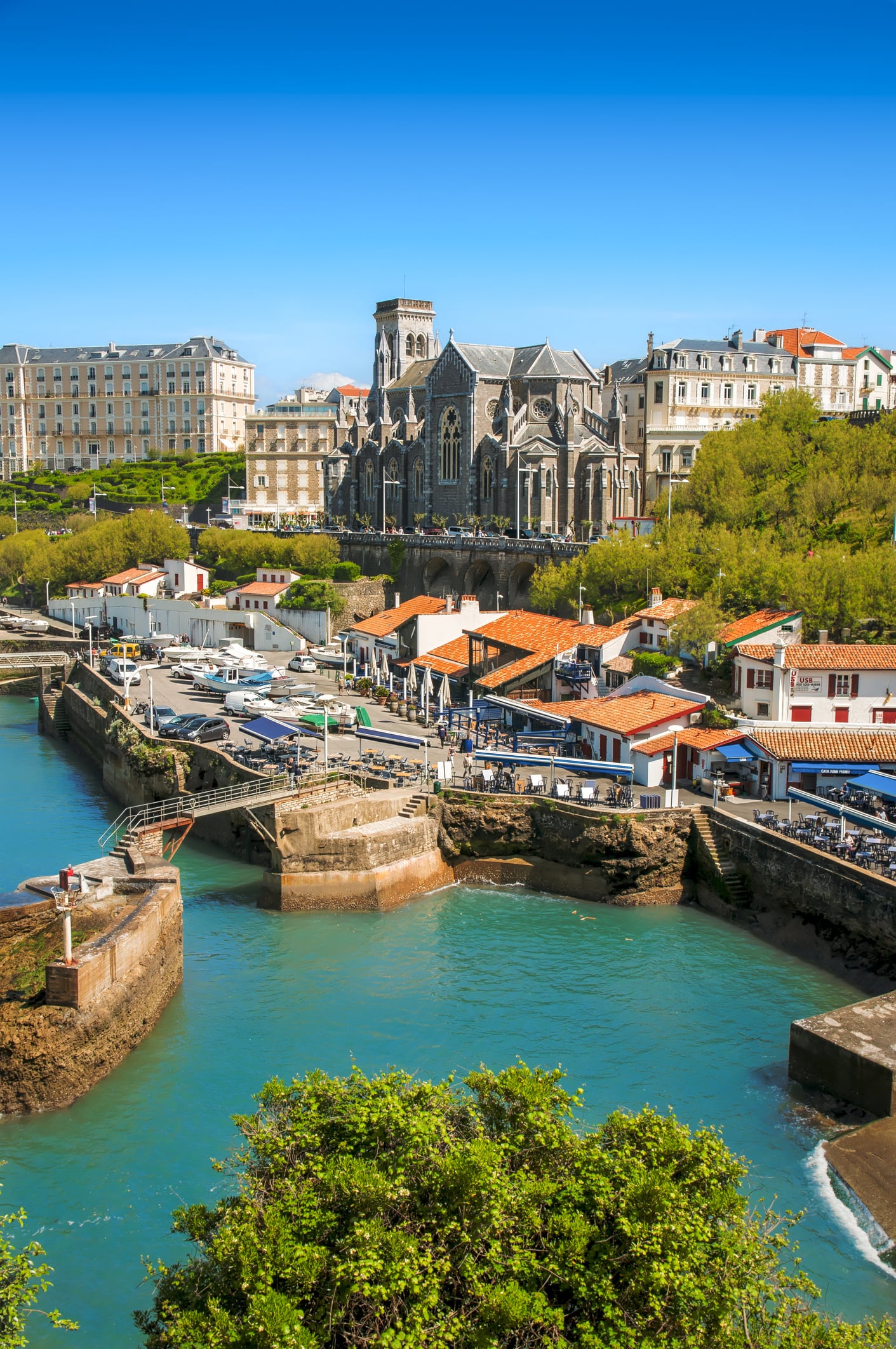
Although most foodies will head straight to San Sebastian when in the Basque Country, I would argue that it's worth making a stop in Biarritz. It’s quieter, boasts a beautiful coastline and has no shortage of great places to eat. Start at the Halles de Biarritz local marketplace to browse fresh produce before finding a table at Chistera & Coquillages for some of the best seafood in the region.
|
|
|
|
|
|
|
As a team, we travel for many reasons, but we all agree on the importance of trying local food wherever we go. For me, travel plans often start with a restaurant recommendation. Open Google Maps on my phone, and you’ll see a sea of knife-and-fork pins. It seems our writers are often inclined this way too.
Queenie Shaikh recently swapped San Sebastian’s crowded streets for Cuitadella in Menorca and found a city with a strong tradition of kilometre-zero gastronomy, plus a caramelised Basque cheesecake made with the island’s distinctive, creamy, briny Queso Mahón Menorca.
Earlier this year, Hayley Spencer was in Seoul, South Korea, to try a number of viral beauty treatments and found a coffee culture that rivals New York and London as well as mouthwatering Korean rotisserie chicken, and Yvette Cook travelled to Portland to cycle between food cart hubs, sampling crisp, pillowy waffles topped with blueberry orange blossom compote and whipped cream, while global travel editor Annabel Grossman recently wrote about the cultural importance of gumbo in Louisiana, a dish that she says “defies a single recipe".
|
|
|
|
Gumbo in Lafayette, Louisiana
|
|
|
|
|
For travel writer Amelia Neath: “The UK is not traditionally known as a top foodie destination, but while I was in Shetland this summer, I could not leave without testing out some of the hearty traditional dishes. Before heading out on a hike, we ate sassermaet breakfast rolls from the UK's most northerly cafe, a spicy ground-beef patty made from Shetland cows. For lunch, we had creamy Cullen skink (tastes nicer than it sounds), made with locally caught smoked haddock.”
As for me, assistant travel editor Emilee Tombs, I’ve a few standout food-and-travel-themed memories that I always return to: sweet, barbecued crab meat shared with me by a fisherman on a beach in Spain, a cup of sugary mint tea sipped in a Moroccan souk, sharp lemon sorbet on a scorching day in Naples, and razor clams drenched in garlic butter, eaten overlooking the harbour in Île de Ré.
Food doesn’t have to be gastronomically wizzy to leave an impression. Often, the simplest dishes – ones rooted in place – are the ones we’ll never forget.
Read Annabel's story about gumbo in Louisiana here
|
|
|
|
|
|
A retreat in Menorca, with its peaceful pristine white-sand and crystal water beaches, rivals the Maldives. Find out more about what the Balearic island has to offer.
|
|
|
Save more than £400 with Intrepid Travel’s last-minute deals this winter
|
|
|
Save on travel this winter with Intrepid Travel. Take in Iceland’s unforgettable landscapes, enjoy bustling and beautiful Vietnam, explore diverse Costa Rica and discover vibrant Morocco, and so much more, with last-minute savings. With accommodation, ground transport, meals and activities included, it couldn’t be easier to start your next adventure. Learn more.
|
|
|
|
|
|
Up to 31 per cent off a cosy Cotswolds getwawy
|
Escape to Stanton House Hotel, a charming four-star country manor with breakfast, dinner and a leisurely late checkout.
|
|
|
|
|
Relax and unwind with 50 per cent off Champneys spa days
|
|
|
|
|
Discover top deals on luxury package holidays
|
|
|
|
|
This Marylebone hotel has a Third Space gym and a brilliant bar – you won’t want to leave, says Helen Wilson-Beevers
|
|
|
|
|
K-beauty treatments trialled
|
From a ‘glass skin’ facial to an 18-step head spa, these are the beauty treatments writer Hayley Spencer tried on a trip to Seoul
|
|
|
|
|
Katie Mather travels around France in her converted workers' van, discovering tiny wine bars, a seaside haven and an Alpine campsite with views that brought her to tears
|
|
|
|
|
Austria's rock ‘n’ roll saunas
|
On an adventure in the Austrian Alps, Caroline Gammell immerses herself in a growing wellness trend that pushes her to her limits
|
|
|
|
|
IndyBest Writer and Production Journalist
|
|
|
|
|
IndyBest Writer and Production Journalist
|
|
|
Whether it’s goggles, Airpods, or passports (hopefully not), sometimes it’s the small, easily forgotten items that are most essential.
As a light sleeper, I'm always jealous of anyone who can easily nod off on a busy train or snooze on flights. If you're like me, then I really recommend bringing some dedicated sleep earplugs for your next journey. Loop is a brand I recommend without reservation, as I find its ear plugs comfortable and effective. But if you would prefer to have active noise cancelling rather than a physical block, tech expert Matt Ng recommends the Soundcore sleep A30.
Sunscreen is for sun-drenched holidays but also for year-round protection. While a good body and face SPF are usually accounted for when packing for a trip, lip balm with SPF often gets overlooked. The Ultrasun lip protection SPF50 leaves my pout feeling nourished and cushiony-soft, while the Ultra Violette sheen screen SPF 50 is a nice option if you want a lip gloss-balm hybrid.
A refillable water bottle is a must, but if you prefer not to drink from taps when you’re travelling and want to avoid buying plastic bottles, Larq’s bottle purevis could be the choice to go for, as it uses a patented UV-C light to kill nearly all (99.9 per cent) of bio-contaminants inside (plus it keeps water nice and cool).
Finally, a tip for packing light. If you need all the help you can get, consider swapping to the Suri toothbrush. It's a great brush, but it's also slimline, lightweight and ideal for saving space when it's at a premium.
|
|
|
Join the conversation and follow us
|
|
|
Please do not reply directly to this email
You are currently registered to receive The Independent's Travel newsletter.
To unsubscribe from The Independent's Travel newsletter, or to manage your email preferences please click here.
This e-mail was sent by Independent Digital News and Media Ltd, 14-18 Finsbury Square, London EC2A 1AH. Registered in England and Wales with company number 07320345
Read our privacy policy and cookie policy
|
|
|
|