

How to Quote a Photography Job From Scratch (Even If You’ve Never Done One Before)If a complete stranger landed on this post and asked me, “How do I quote a photography job if I have no idea where to start?”, this is exactly how I would teach it.
No assumptions. No shortcuts. No vague advice. This is a practical, repeatable system you can use whether you are quoting your first job or your fiftieth. And it starts with removing pressure from the process entirely. Why Quoting Feels So Hard for Photographers Most photographers struggle with quoting because they are trying to price creativity without a framework. They guess. They copy numbers they see online. They panic when a client asks for a quote. The problem is not confidence. The problem is process. So instead of starting with a real client and real consequences, I always start with a mock job. This trains your thinking before money is on the line.
Step 1: Use ChatGPT to Invent a Realistic Photography Job (Including Usage Fees) The first thing I do is remove the fear of getting it wrong. I ask ChatGPT to invent a realistic commercial photography job that I can practice quoting. This job must include usage, because usage is a core part of pricing and cannot be separated from the quote. Here is the exact prompt I would use if I was in my first 5 years of business. “Create a realistic commercial photography job for a mid-level photographer. Include the client type, what they need photographed, how many images, how the images will be used, the length of usage, and the general scope of the project.” Here is an example of what ChatGPT might return. Client: A growing lifestyle apparel brand based in Toronto. Project: One-day lifestyle photo shoot for a new fall clothing collection. Deliverables: Usage: Usage Term: Geographic Reach: Timeline: This is now your practice job. It includes creative work. It includes logistics. And most importantly, it includes usage, which directly affects value and pricing.
Step 2: Decide Your Creative Rate Based on Difficulty Before I think about numbers, I ask one question. Is this an easy, medium, or hard project for me? An easy project is something I have done many times. A medium project stretches me creatively or logistically. A hard project adds complexity, pressure, or higher expectations. Your creative fee should reflect difficulty, not just time. Two jobs can take the same amount of time and deserve very different fees. Step 3: List Every Possible Expense Now I shift into logistics mode. I list every expense that could realistically be tied to this job. Transportation. Parking. Meals. Batteries. Memory cards. Hard drives. Location permits. Insurance. If money leaves my pocket because of this project, it goes on the list. This step alone prevents photographers from unknowingly paying to work.
Step 4: Price the Job at the Highest Professional Level Next, I imagine doing the job properly. Not rushed. Not compromised. At the highest professional level I am capable of delivering. That might include assistants. Professional lighting. Backup equipment. Extra prep time. This version of the quote represents the true value of the job when done right. Step 5: Define the Minimum Viable Version of the Job Now I strip things back. What is the absolute minimum required to still deliver what the client asked for? Fewer assistants. Simpler lighting. More efficient setups. This is not about discounting. This is about understanding flexibility so scope can change instead of price.
Step 6: Estimate Shoot Time Without Charging Hourly I always calculate how long the shoot will realistically take. Setup time. Shoot time. Breakdown time. But I never charge by the hour. Hourly pricing punishes experience and rewards inefficiency. Time helps me understand workload. Value determines the price. Step 7: Account for Post Production Properly Post production is real labor. I estimate time for culling. Color correction. Retouching. Exports. Revisions. Delivery. If post production is not included in your quote, you are working for free after the shoot is over.
Step 8: Understand Usage as a Value Multiplier Usage is not an afterthought. Usage is where a large part of value comes from. Where the images will be seen matters. How long they will be used matters. How widely they will be distributed matters. More usage equals more value. This is why usage must be clarified at the very beginning, not at the end. Step 9: Say the Three Most Important Words Before finalizing anything, I ask one more question. “What’s your budget?” This is not awkward. This is professional. It saves time. It frames the conversation. And it tells you whether the project is realistic before you invest hours into quoting it.
Why This Exercise Works Creating mock quotes removes emotion from pricing. It replaces fear with clarity. It teaches you how to think, not just what to charge. When a real client finally asks for a quote, you are no longer guessing. You are explaining your process. Do this exercise often. Treat pricing like a skill you practice. Because once you understand how to quote properly, confidence follows naturally. The Full Quote Breakdown for ask above. Here is how this quote would look when presented clearly. Creative Fee: $2,500 Assistant: $350 Production and Expenses: $900 Post Production: $900 Usage Licensing (batch rate, 12 images): $2,000 Total Project Fee: $6,650 You could also charge for: Your digital kit, Your lighting setup Studio Rentals Travel, Parking and anything else it costs you to produce this project
📌 Getty Images Pricing Tools: While not always easy to navigate, Getty’s licensing calculators give insight into how large stock/image licensors price usage rights, which is valuable when thinking about reach and term in your own pricing. 📌 fotoQuote: A long-standing commercial photography licensing pricing software that many pros use to set industry-standard rights-managed usage fees. It goes beyond simple calculators, it has thousands of real pricing options and contextual usage scenarios. 🔗 Photography Licensing Fee Calculator (usage.lol): Built specifically for licensing use, plug in usage parameters and get a calculated value based on those specifics. 🔗 Free Photography Pricing Calculator (KDW Creatives): A more holistic calculator that helps you consider everything from base salary to shoot costs, post-production, and licensing combined. Useful if you want a more complete pricing exercise.
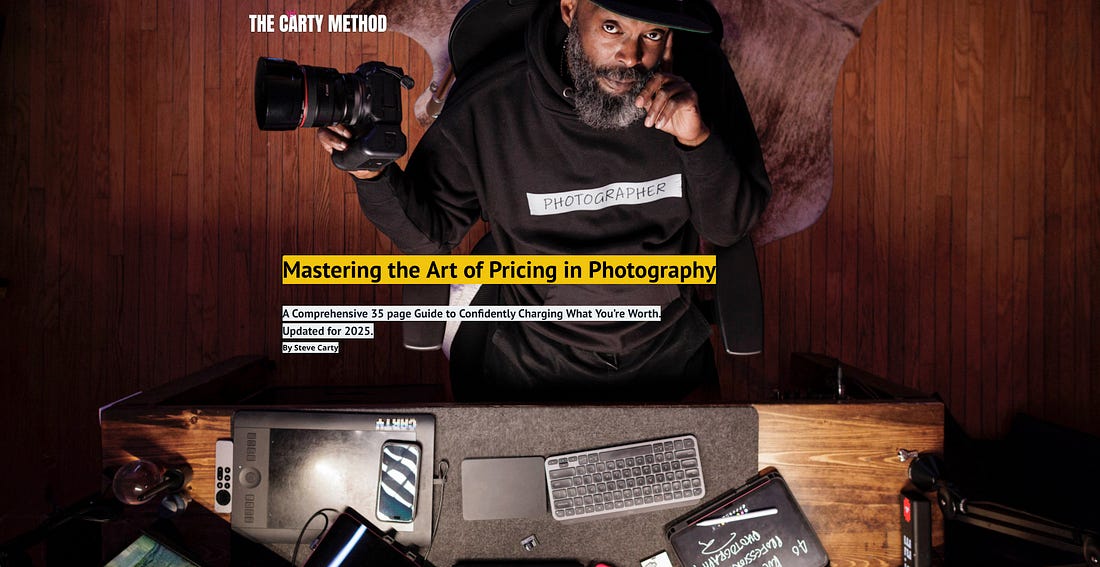
Your Next Step: Learn How Pros Actually Price Their Work If quoting still feels uncomfortable, that is normal. Most photographers were never taught how to price creativity properly. That is exactly why I created my free pricing guide. It is a 35-page ebook that breaks down how working professionals think about rates, usage, licensing, and value, without guesswork or fluff. This is the framework I have used for decades, and the same one I teach photographers who want to stop undercharging and start leading pricing conversations with confidence. If you want to learn how the pros actually price their work, you can get it free right now. 👉🏾 Download the free 35-page pricing guide at Read it. Apply it. I hope this brought you value today. I’m on my 3rd year posting to Substack every Saturday. I’m glad you’re here with me. If you’re new, welcome. If you haven’t already, check my YouTube channel, I’m almost at 50K Subscribers. Help me get to 100K and engage in the best photography business channel on YouTube. 📸💫 Thanks for reading. See you next Saturday.
PS. See more of my work at SteveCarty.com and get help with your photography business at TheCartyMethod.com 👉🏾 Download the free 35-page pricing guide at
You’re currently a free subscriber to Carty’s Substack. To see the archives, consider upgrading your subscription for just $5/month.
|
How to Quote a Photography Job From Scratch (Even If You’ve Never Done One Before)










Assinar:
Postar comentários (Atom)
0 comentários:
Postar um comentário